Track a workspace's spending
Read a workspace's LLM cost over the period of your choice, and see who is spending on what.
In brief
The Consumption tab in Settings gives a workspace's LLM cost over the period of your choice, broken down by member and by usage. Amounts are computed from counted tokens and the models' catalogue prices: these are provider costs, with no margin added.
An LLM invoice arrives at the end of the month without saying where it came from. The Consumption tab answers earlier: how much this workspace spent over the period, which member weighs most, which kind of activity consumes. It is the reading that precedes any decision about a ceiling.
Open the tab
Click the Settings icon of your workspace. The panel opens on the side.
In the left column, under Advanced, click Consumption.
Read the spending
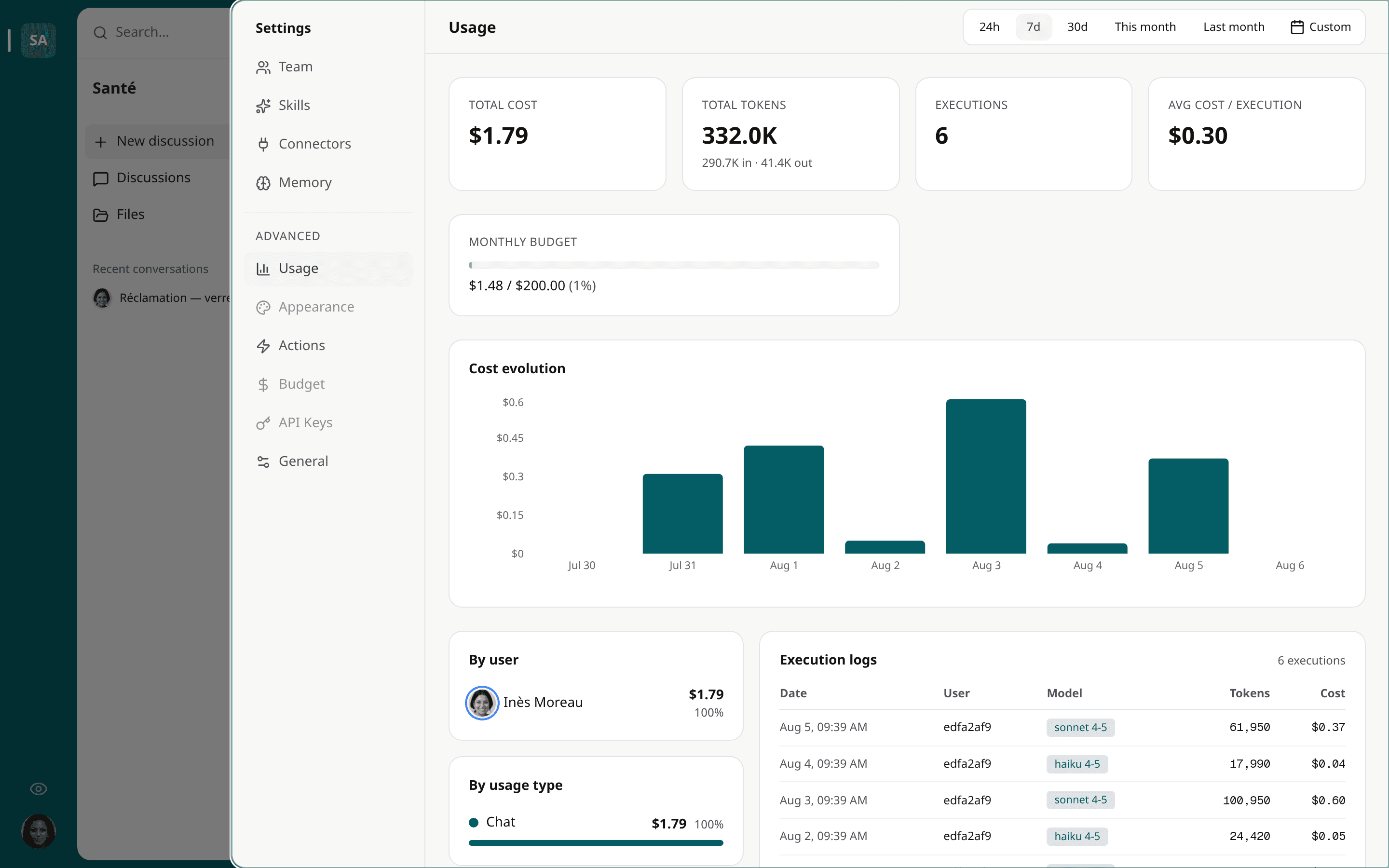
Pick the period at the top right: 24h, 7d, 30d, This month, Last month, or Custom to set your own dates. The whole screen recomputes on that window.
Read the Total cost: it is the workspace's cumulative spending over the period. The neighbouring cards break it down into tokens (in and out), number of executions, and average cost per execution.
Scroll to By user and By usage. The first breakdown names the members, the second the activities (chat, skills). That is where the real origin of an increase shows.
Look at the budget banner. As long as no ceiling is set, it reads No budget configured. Once a budget is in place, it shows the share already spent and its status.
With no traffic over the period, the cards show zero and the breakdowns read "No data for this period". Widen the window before concluding.
Where these amounts come from
Brume does not read your provider invoice: it reconstructs it. On each model call, tokens are counted (input, output, cache read, cache write) and multiplied by the model's catalogue prices, kept in code and sourced from the official provider. No margin is added at this step: the amount shown is a raw provider cost.
Two consequences for your reading:
- Under BYOK, the Total cost is an estimate of what your provider will bill you. The invoice that counts stays theirs. Brume gives you the breakdown they do not: by workspace, by member, by usage.
- A model absent from the price catalogue is counted as zero. Its consumption appears in tokens and executions, not in cost.
Only model calls enter these figures. Metered services outside the LLM (web search, connectors, transcription) are billed separately and do not weigh here.
Who has access
Access: Referent. The CAN_VIEW_CONSUMPTION permission opens the tab to power users and administrators. A power user sees exactly what an admin sees.
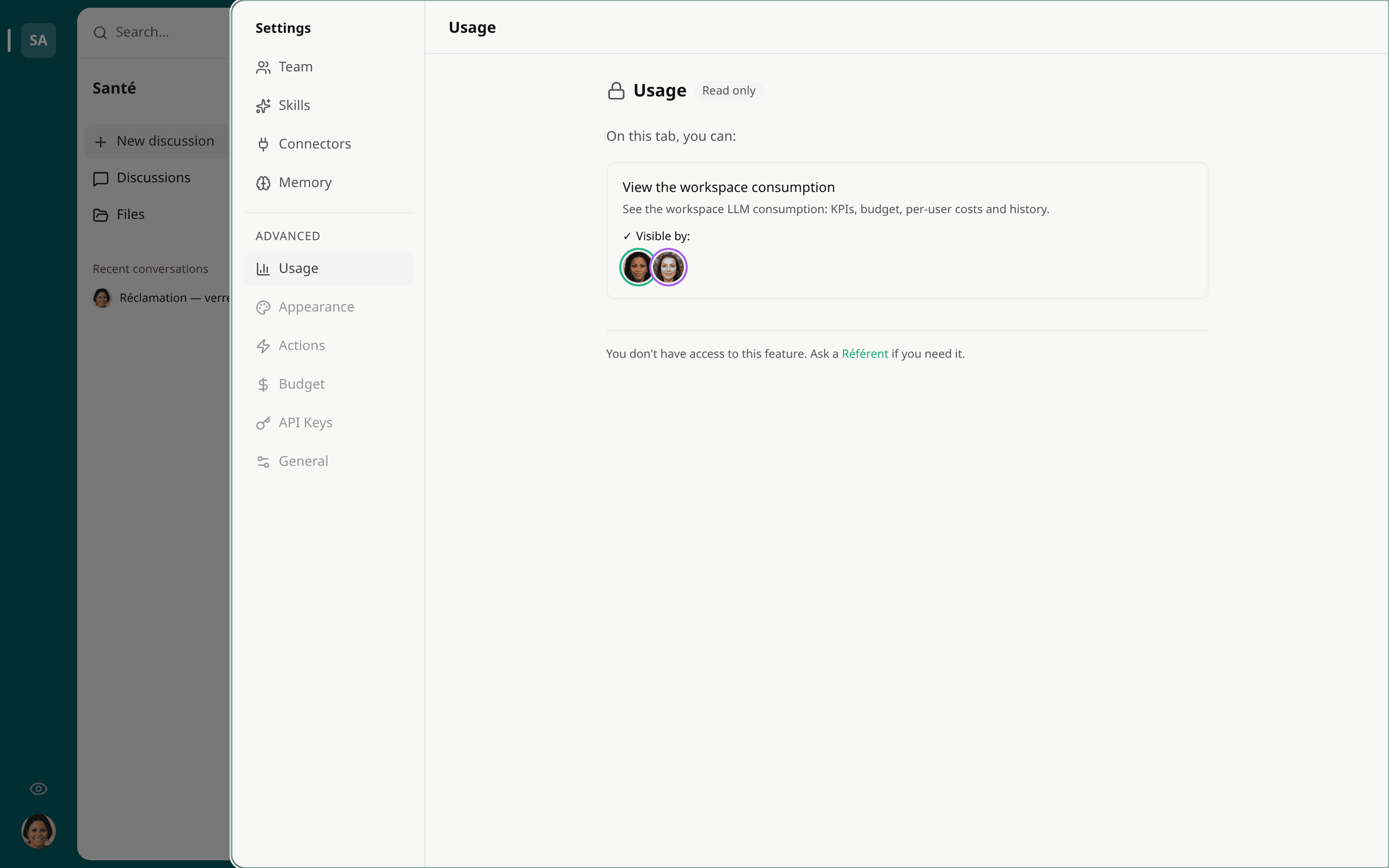
For a member without that permission, the tab shows a read-only explainer that recalls what the feature allows, displays the people who are entitled, and ends with: "You don't have access to this feature. Ask a Power user if you need it." The role name quoted follows the one your organization set in its matrix.
Going further
Understanding the Billing screen
The Billing hub: what gets charged, on what, and when — plan, credit balance, auto-recharge, payment methods, and invoices.
Track the whole organization's spending
The Administration → Consumption screen: the tenant's consolidated LLM spending, and its breakdown workspace by workspace.